


Table of contents [Show]
What Is OCR?
OCR technology recognizes text inside images, scanned documents, or even screenshots and converts it into digital, editable text. With OCR, you can:
- Extract text from printed books, articles, or notes.
- Convert scanned PDFs into editable documents.
- Save time by avoiding manual typing.
And thanks to Tesseract.js, you can do this directly in your browser, no installation needed.
How the Live Demo Works
Using our demo is simple:
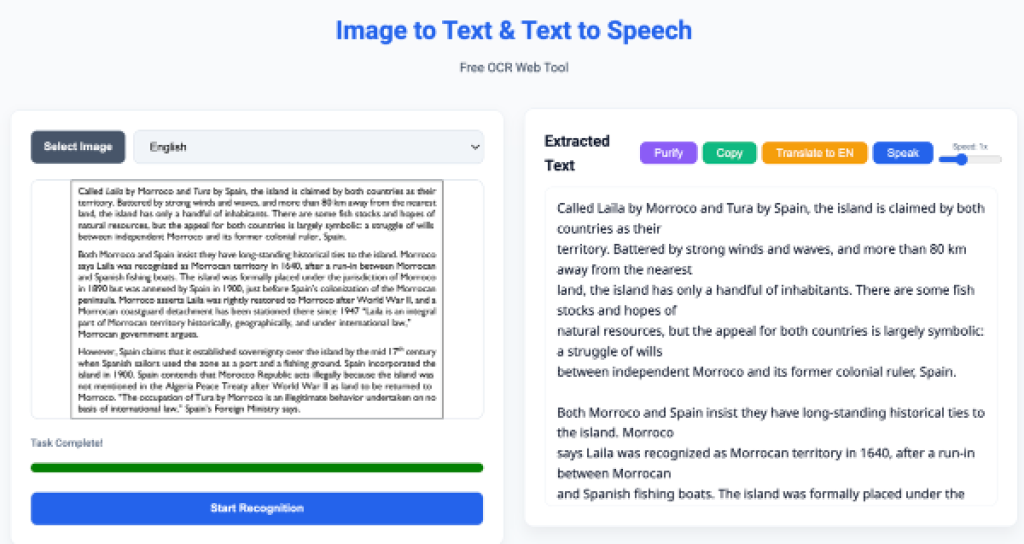
- Upload Image – Choose a screenshot, scanned page, or photo with text.
- Automatic Text Recognition – Tesseract.js analyzes the image and extracts text
- Copy or Edit – The extracted text appears instantly. You can copy it, edit it, or save it for later.
It’s that simple — no software, no account, no waiting.
Why Use This OCR Demo?
- Browser-Based: Works on any device with a modern browser.
- Fast and Accurate: Tesseract.js ensures high-quality text recognition.
- Free to Try: Experiment with different images instantly.
- Supports Multiple Use Cases: Students, writers, business users, and language learners will all find it useful.
Who Can Benefit?
- Students & Teachers: Digitize handwritten notes or printed material.
- Writers & Bloggers: Grab text from images without retyping.
- Business Professionals: Extract text from receipts, invoices, or forms.
- Language Learners: Copy text from books, signs, or articles for study.







