
How to Build a Browser OCR Tool with Tesseract.js
Learn how to build a browser-based OCR app using Tesseract.js. Extract text from images directly in the browser with a simple client-side setup.


Suggested:

Step-by-step guide to creating a PHP backend that removes image backgrounds using Remove.bg API. Ideal for developers building automated image tools
In this tutorial, I will walk through how to build a PHP image background remover using the Remove.bg API. By integrating this powerful API into a simple PHP backend, you can automatically upload an image, send it to Remove.bg for processing, and receive a clean image with the background removed.
Table of contents [Show]
remove.bg is an AI-powered service that removes image backgrounds automatically via API.
Website: https://www.remove.bg
You need an API key (free tier available).
background-remover/
│
├── index.php
├── remove.php
├── assets/
│   ├── style.css
│   └── script.js
Step 1 – Get Your API Key
Step 2 - Frontend – index.php
<!DOCTYPE html>
<html>
<head>
    <title>PHP Background Remover</title>
    <link rel="stylesheet" href="assets/style.css">
</head>
<body>

<div class="container">
    <h1>Image Background Remover</h1>

    <form id="uploadForm" enctype="multipart/form-data">
        <input type="file" name="image" id="imageInput" required>
        <button type="submit">Remove Background</button>
    </form>

    <div id="preview"></div>
    <div id="result"></div>
</div>

<script src="assets/script.js"></script>
</body>
</html>
Step 3 - CSS Design – assets/style.css
body {
    font-family: Arial, sans-serif;
    background: linear-gradient(135deg, #667eea, #764ba2);
    display: flex;
    justify-content: center;
    align-items: center;
    height: 100vh;
}

.container {
    background: #fff;
    padding: 30px;
    border-radius: 12px;
    width: 400px;
    text-align: center;
    box-shadow: 0 15px 35px rgba(0,0,0,0.2);
}

h1 {
    margin-bottom: 20px;
}

input[type="file"] {
    margin-bottom: 15px;
}

button {
    background: #667eea;
    color: white;
    border: none;
    padding: 10px 20px;
    border-radius: 6px;
    cursor: pointer;
}

button:hover {
    background: #5a67d8;
}

#preview img,
#result img {
    max-width: 100%;
    margin-top: 15px;
    border-radius: 8px;
}
Step 4 - JavaScript (AJAX Upload) – assets/script.js
document.getElementById("uploadForm").addEventListener("submit", function(e) {
    e.preventDefault();

    let formData = new FormData();
    let fileInput = document.getElementById("imageInput");

    if(fileInput.files.length === 0) {
        alert("Please select an image.");
        return;
    }

    formData.append("image", fileInput.files[0]);

    document.getElementById("result").innerHTML = "Processing...";

    fetch("remove.php", {
        method: "POST",
        body: formData
    })
    .then(response => response.json())
    .then(data => {
        if(data.status === "success") {
            document.getElementById("result").innerHTML =
                `<img src="${data.image}" alt="Result">
                 <br><a href="${data.image}" download>Download Image</a>`;
        } else {
            document.getElementById("result").innerHTML = "Error: " + data.message;
        }
    })
    .catch(error => {
        document.getElementById("result").innerHTML = "Upload failed.";
    });
});
Step 5 - Backend – remove.php
<?php

header('Content-Type: application/json');

$apiKey = "YOUR_REMOVE_BG_API_KEY";

if(!isset($_FILES['image'])) {
    echo json_encode(["status" => "error", "message" => "No image uploaded"]);
    exit;
}

$imagePath = $_FILES['image']['tmp_name'];

$ch = curl_init();

curl_setopt_array($ch, [
    CURLOPT_URL => "https://api.remove.bg/v1.0/removebg",
    CURLOPT_RETURNTRANSFER => true,
    CURLOPT_POST => true,
    CURLOPT_POSTFIELDS => [
        'image_file' => new CURLFile($imagePath),
        'size' => 'auto'
    ],
    CURLOPT_HTTPHEADER => [
        "X-Api-Key: $apiKey"
    ]
]);

$response = curl_exec($ch);
$httpCode = curl_getinfo($ch, CURLINFO_HTTP_CODE);
curl_close($ch);

if($httpCode == 200) {
    $outputFile = "output_" . time() . ".png";
    file_put_contents($outputFile, $response);

    echo json_encode([
        "status" => "success",
        "image" => $outputFile
    ]);
} else {
    echo json_encode([
        "status" => "error",
        "message" => "API Error"
    ]);
}
Don't forget to replace your api key from remove.bg
For real projects, you should:
/uploads
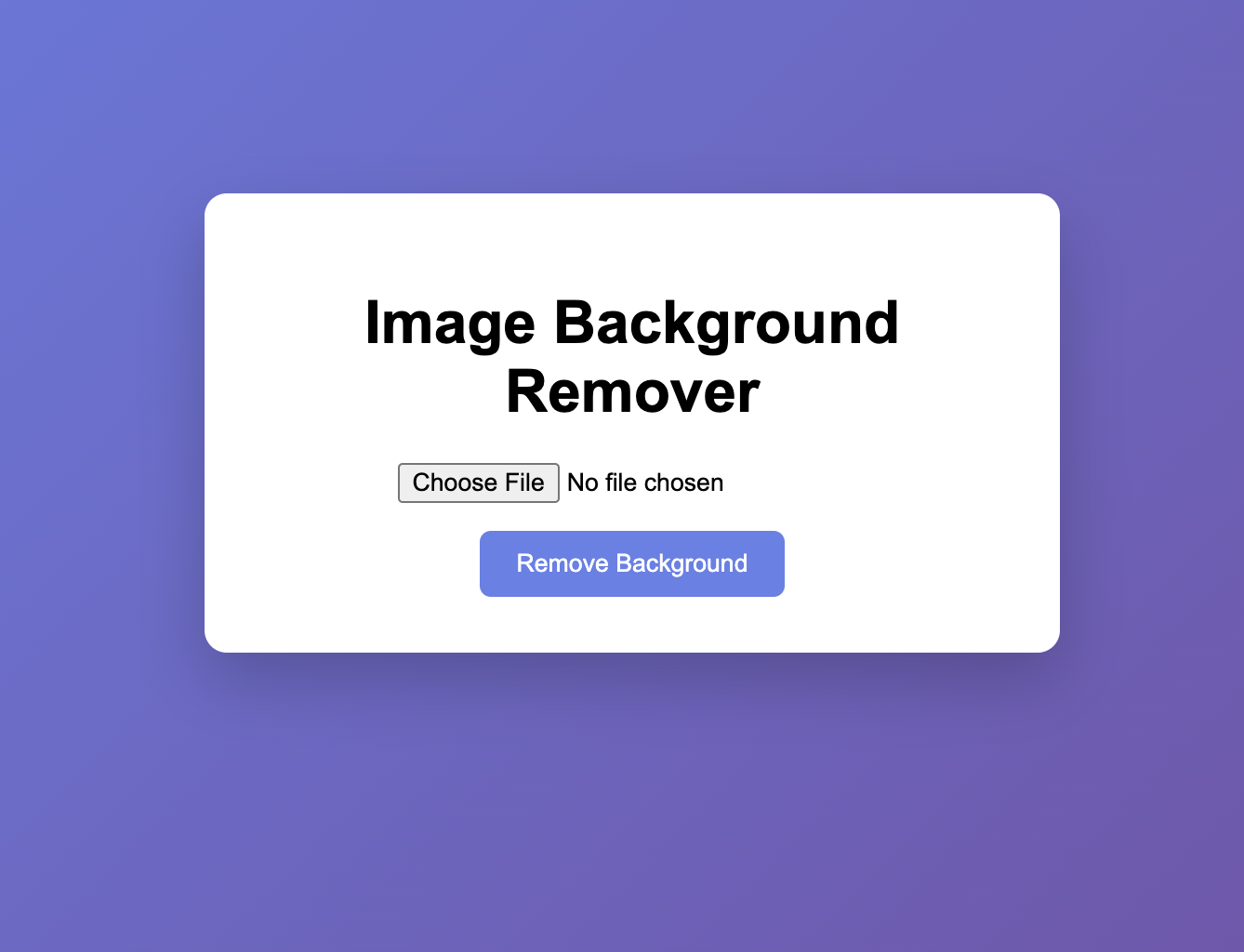
You now have a fully functional Image Background Remover Web App using PHP + Remove.bg API with:
✔ Modern UI
✔ AJAX upload
✔ Transparent PNG output
✔ Download feature
Learn how to build a browser-based OCR app using Tesseract.js. Extract text from images directly in the browser with a simple client-side setup.
Learn how to create a real-time PHP chat app using MySQL and JavaScript with user login, typing status, chat history deletion, and a modern, responsive UI.
A modern PHP-based domain search tool with AJAX, DNS checks, and WHOIS fallback. Get instant domain availability results and smart suggestions in a fast, elegant UI.







