
Image to Text Converter | Free Live Demo
Instantly extract editable text from images with our free online OCR demo powered by Tesseract.js. Upload photos and convert them to text in seconds.


Suggested:
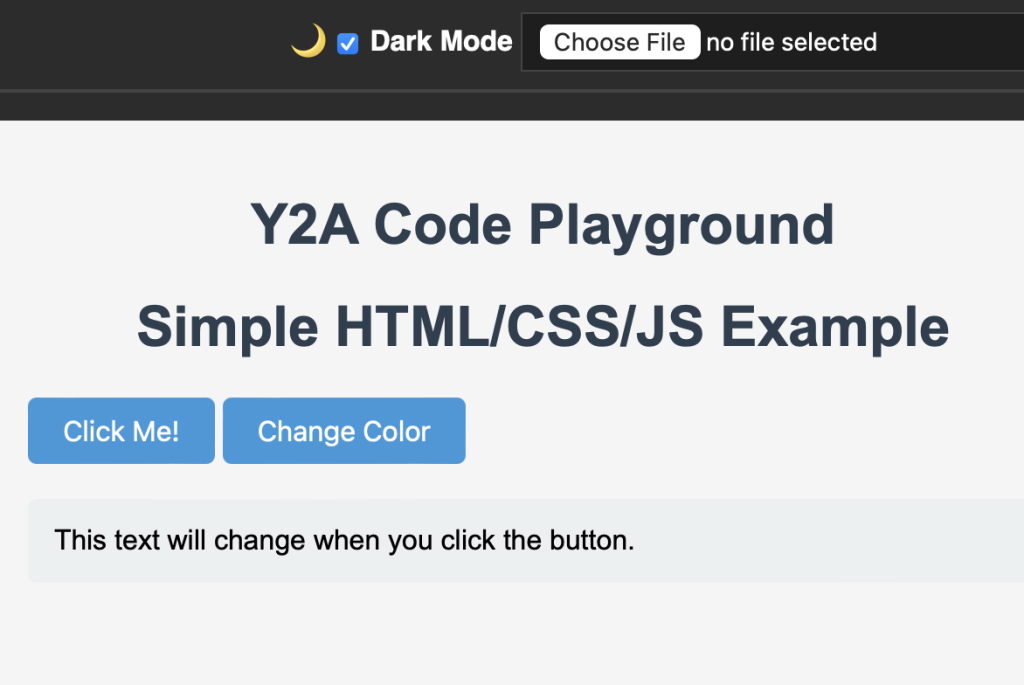
Learn how to create a powerful, interactive code playground using HTML, CSS, and JavaScript. Includes real-time preview, console logging, and local storage.
In this tutorial, we'll build a sophisticated code playground that allows users to write, run, and see the output of HTML, CSS, and JavaScript code in real-time. This is similar to platforms like CodePen or JSFiddle but built from scratch with advanced features.
Table of contents [Show]
Three-panel editor (HTML, CSS, JavaScript)
Real-time preview
Syntax highlighting
Responsive layout
Code formatting/beautification
Console output
Error handling
Local storage for saving code
Export/import functionality
Download Zip File
code-playground/
│
├── index.html
├── styles.css
├── script.js <!DOCTYPE html>
<html lang="en">
<head>
<meta charset="UTF-8" />
<title>Code Playground</title>
<meta name="viewport" content="width=device-width, initial-scale=1" />
<script src="https://cdnjs.cloudflare.com/ajax/libs/jszip/3.10.1/jszip.min.js"></script>
<link rel="stylesheet" href="styles.css">
</head>
<body>
<header>
<span>🧪 Code Playground</span>
<div>
<label>
🌙
<input type="checkbox" id="darkToggle" />
Dark Mode
</label>
<input type="file" id="importFile" accept=".zip" />
</div>
</header>
<div class="tabs" id="tabBar"></div>
<div class="editor-container">
<div class="editor">
<label>HTML</label>
<textarea id="html"></textarea>
<label>CSS</label>
<textarea id="css"></textarea>
<label>JS</label>
<textarea id="js"></textarea>
</div>
<div class="preview">
<iframe id="preview" sandbox="allow-scripts allow-same-origin"></iframe>
</div>
</div>
<div class="controls">
<input type="text" id="snippetName" placeholder="Snippet name" />
<button onclick="saveTab()">💾 Save</button>
<button onclick="newTab()">➕ New Tab</button>
<button onclick="deleteTab()">🗑️ Delete</button>
<button onclick="exportCode()">⬇ Export</button>
<button onclick="clearEditor()">🧹 Clear</button>
</div>
<script src="script.js"></script>
</body>
</html> :root {
--bg: #ffffff;
--text: #000000;
--panel: #f1f1f1;
--border: #ccc;
}
body.dark {
--bg: #1e1e1e;
--text: #ffffff;
--panel: #2c2c2c;
--border: #444;
}
body {
margin: 0;
font-family: sans-serif;
background: var(--bg);
color: var(--text);
height: 100vh;
display: flex;
flex-direction: column;
}
header {
background: var(--panel);
padding: 10px;
display: flex;
justify-content: space-between;
align-items: center;
border-bottom: 1px solid var(--border);
}
.editor-container {
display: flex;
flex: 1;
overflow: hidden;
}
.editor {
flex: 1;
padding: 10px;
display: flex;
flex-direction: column;
border-right: 1px solid var(--border);
box-sizing: border-box;
}
textarea {
flex: 1;
margin: 5px 0;
font-family: monospace;
font-size: 14px;
padding: 10px;
background: var(--bg);
color: var(--text);
border: 1px solid var(--border);
resize: none;
}
.preview {
flex: 1;
}
iframe {
width: 100%;
height: 100%;
border: none;
background: white;
}
.controls, .tabs {
background: var(--panel);
padding: 8px;
display: flex;
gap: 10px;
flex-wrap: wrap;
align-items: center;
border-top: 1px solid var(--border);
}
button, select, input {
background: var(--bg);
color: var(--text);
border: 1px solid var(--border);
padding: 5px 10px;
font-size: 14px;
}
.tab {
padding: 4px 8px;
cursor: pointer;
border: 1px solid var(--border);
}
.tab.active {
background: #4caf50;
color: white;
}
label {
font-weight: bold;
} const htmlEl = document.getElementById("html");
const cssEl = document.getElementById("css");
const jsEl = document.getElementById("js");
const preview = document.getElementById("preview");
const snippetName = document.getElementById("snippetName");
const tabBar = document.getElementById("tabBar");
const darkToggle = document.getElementById("darkToggle");
const importFile = document.getElementById("importFile");
let currentTab = null;
function updatePreview() {
const doc = `
${htmlEl.value}
<style>${cssEl.value}</style>
<script>${jsEl.value}<\/script>
`;
const frameDoc = preview.contentDocument || preview.contentWindow.document;
frameDoc.open();
frameDoc.write(doc);
frameDoc.close();
}
htmlEl.addEventListener("input", updatePreview);
cssEl.addEventListener("input", updatePreview);
jsEl.addEventListener("input", updatePreview);
function saveTab() {
const name = snippetName.value.trim();
if (!name) return alert("Name required.");
const data = {
html: htmlEl.value,
css: cssEl.value,
js: jsEl.value,
};
localStorage.setItem("tab_" + name, JSON.stringify(data));
currentTab = name;
renderTabs();
}
function loadTab(name) {
const data = JSON.parse(localStorage.getItem("tab_" + name));
if (data) {
htmlEl.value = data.html;
cssEl.value = data.css;
jsEl.value = data.js;
snippetName.value = name;
currentTab = name;
updatePreview();
renderTabs();
}
}
function newTab() {
snippetName.value = "";
htmlEl.value = cssEl.value = jsEl.value = "";
currentTab = null;
renderTabs();
updatePreview();
}
function deleteTab() {
if (currentTab) {
localStorage.removeItem("tab_" + currentTab);
newTab();
renderTabs();
}
}
function renderTabs() {
tabBar.innerHTML = "";
for (let i = 0; i < localStorage.length; i++) {
const key = localStorage.key(i);
if (key.startsWith("tab_")) {
const name = key.replace("tab_", "");
const div = document.createElement("div");
div.className = "tab" + (name === currentTab ? " active" : "");
div.textContent = name;
div.onclick = () => loadTab(name);
tabBar.appendChild(div);
}
}
}
async function exportCode() {
const zip = new JSZip();
zip.file("index.html", htmlEl.value);
zip.file("style.css", cssEl.value);
zip.file("script.js", jsEl.value);
const blob = await zip.generateAsync({ type: "blob" });
const url = URL.createObjectURL(blob);
const a = document.createElement("a");
a.href = url;
a.download = (snippetName.value || "code") + ".zip";
a.click();
URL.revokeObjectURL(url);
}
importFile.addEventListener("change", async function () {
const file = this.files[0];
if (!file) return;
const zip = await JSZip.loadAsync(file);
const html = await zip.file("index.html")?.async("string");
const css = await zip.file("style.css")?.async("string");
const js = await zip.file("script.js")?.async("string");
htmlEl.value = html || "";
cssEl.value = css || "";
jsEl.value = js || "";
updatePreview();
alert("Code imported!");
});
function clearEditor() {
htmlEl.value = cssEl.value = jsEl.value = "";
updatePreview();
}
// Dark mode toggle
darkToggle.addEventListener("change", () => {
const dark = darkToggle.checked;
document.body.classList.toggle("dark", dark);
localStorage.setItem("darkMode", dark ? "1" : "0");
});
// Init
window.addEventListener("load", () => {
if (localStorage.getItem("darkMode") === "1") {
document.body.classList.add("dark");
darkToggle.checked = true;
}
renderTabs();
updatePreview();
});This advanced code playground provides a professional coding environment with all the essential features developers need. You can further enhance it by adding:
Multiple tabs/sessions
Collaboration features
Code autocompletion
Custom themes
Keyboard shortcuts
GitHub integration
The complete implementation gives you a solid foundation to build upon and customize for your specific needs.
Instantly extract editable text from images with our free online OCR demo powered by Tesseract.js. Upload photos and convert them to text in seconds.
Learn how to create a client-side PDF to Image Converter using HTML, CSS, and JavaScript. Supports PNG, JPEG, WebP, DPI control, grayscale, batch processing, page ranges, and more.







