• 25 Feb, 2026

Suggested:

Stock Management System in PHP | Live Demo & Free Source Code

Stock Management System in PHP | Live Demo & Free Source Code

Web-based Stock Management System project built with PHP and MySQL featuring Purchase Orders, Receiving, Back Orders, returns, and Sales Records.

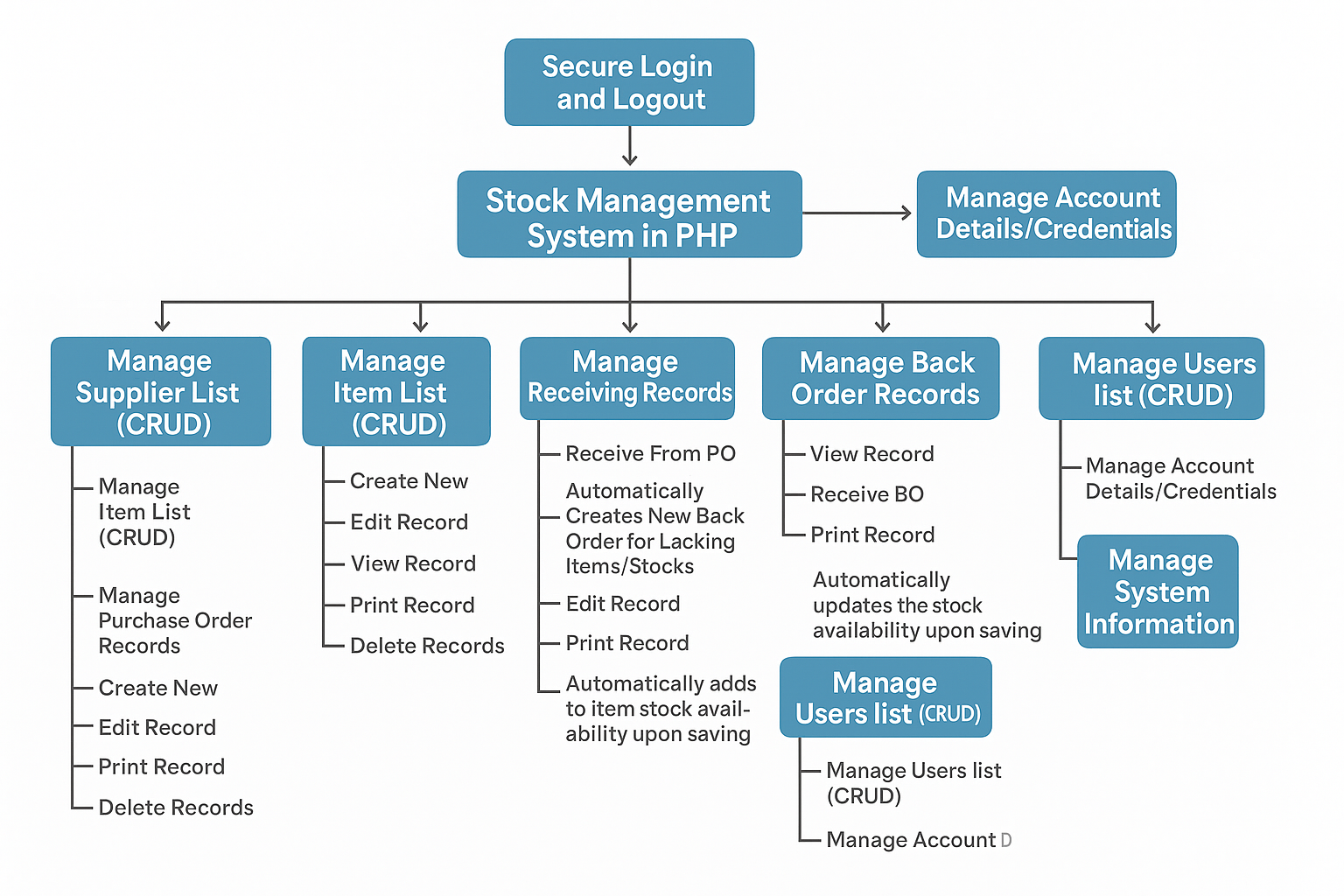
chatgpt-image-may-5-2025-10-20-50-pm.png

Security is the backbone of any system. This Stock Management System features login/logout module to ensure that only authorized users can access the system. Sessions are handled securely to protect user data and prevent unauthorized access.
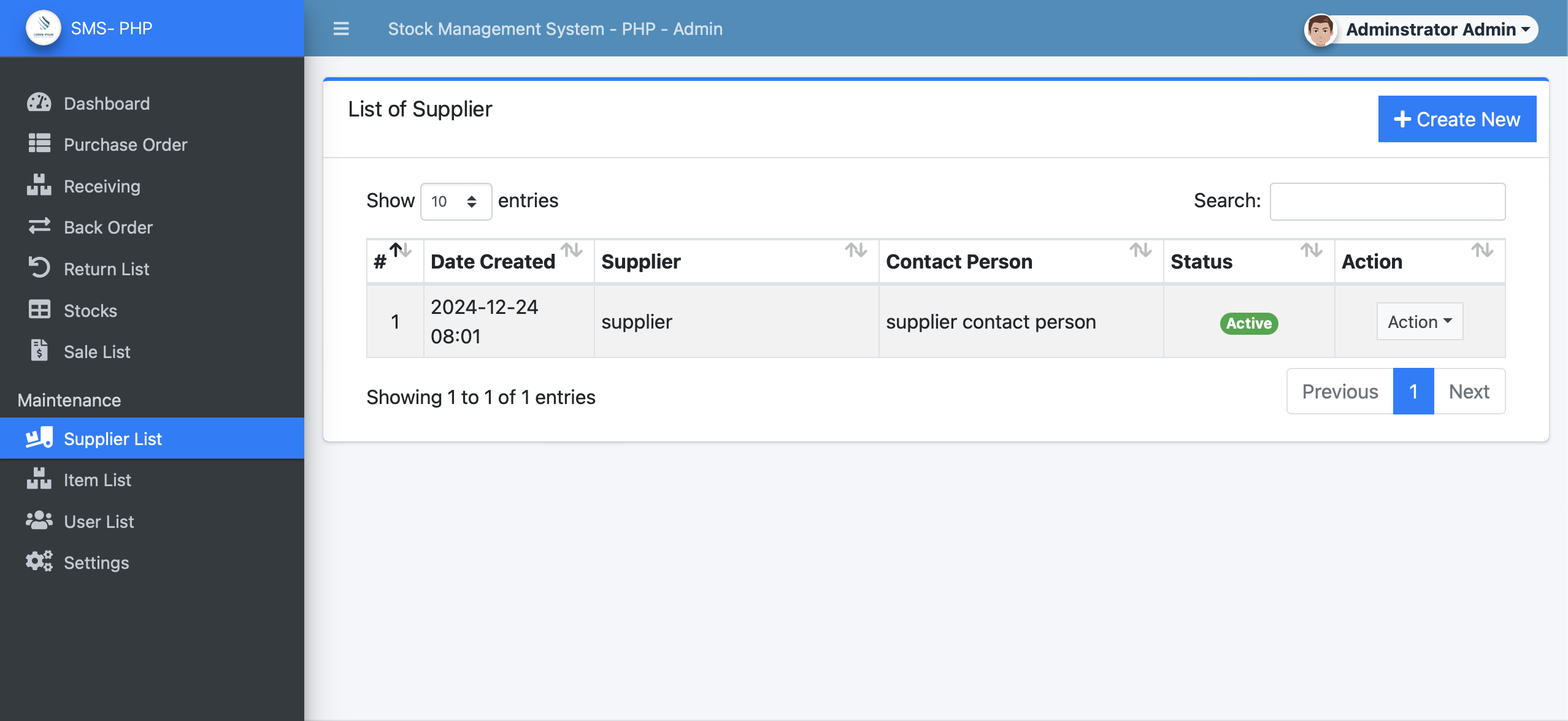

Supplier List Management (CRUD)

sms1.png

Efficient supplier management is essential for maintaining a healthy supply chain. This system allows you to:

  • Create new supplier entries.
  • Read/View supplier details.
  • Update supplier information.
  • Delete supplier records when necessary.

All interactions are intuitive and audit-friendly, giving you better control over your vendor base.
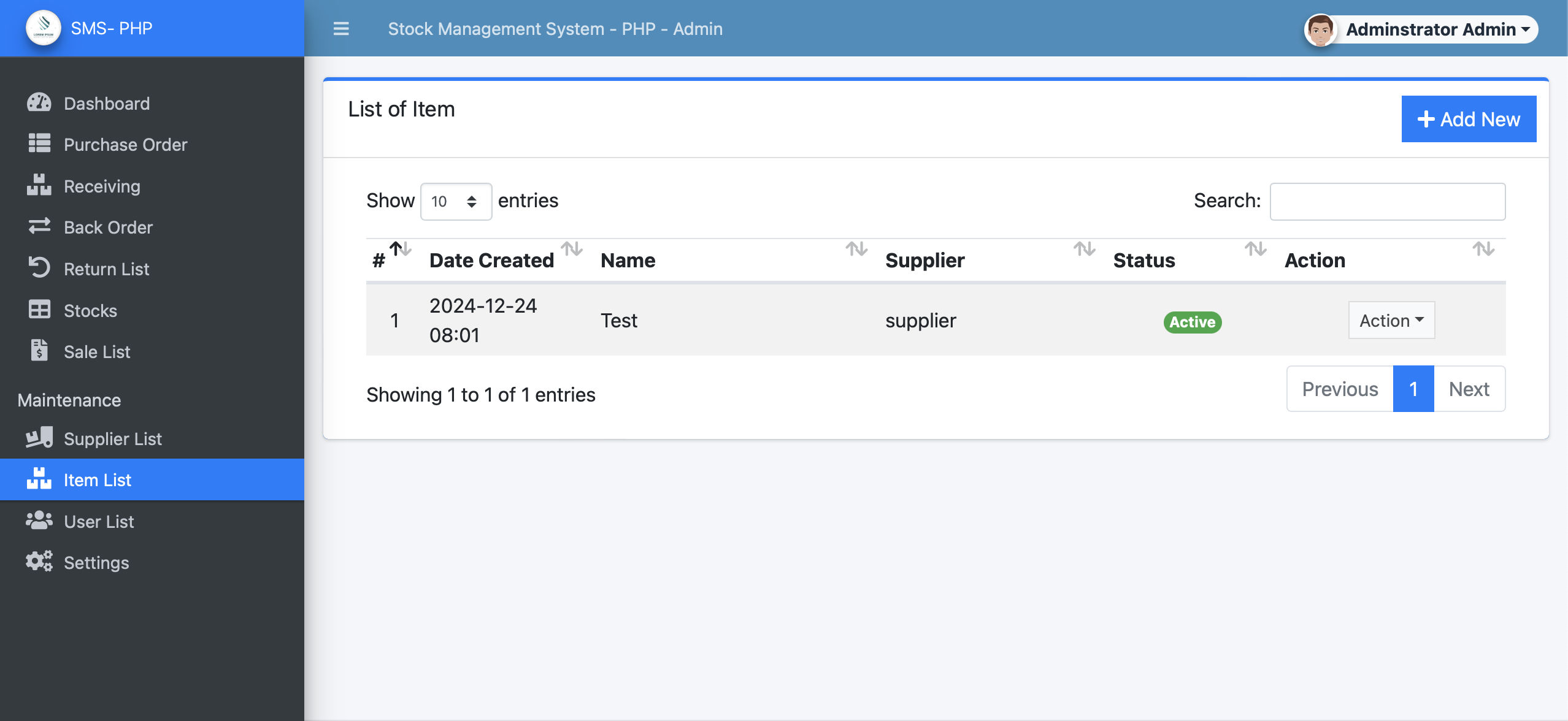

Item List Management (CRUD)

sms2.png

Tracking each product or material in your inventory becomes seamless:

  • Create new items with essential details (description, unit, price, etc.).
  • View current item lists.
  • Edit item details as inventory evolves.
  • Delete outdated or deprecated items.

This module ensures your inventory list is always up-to-date and clean.
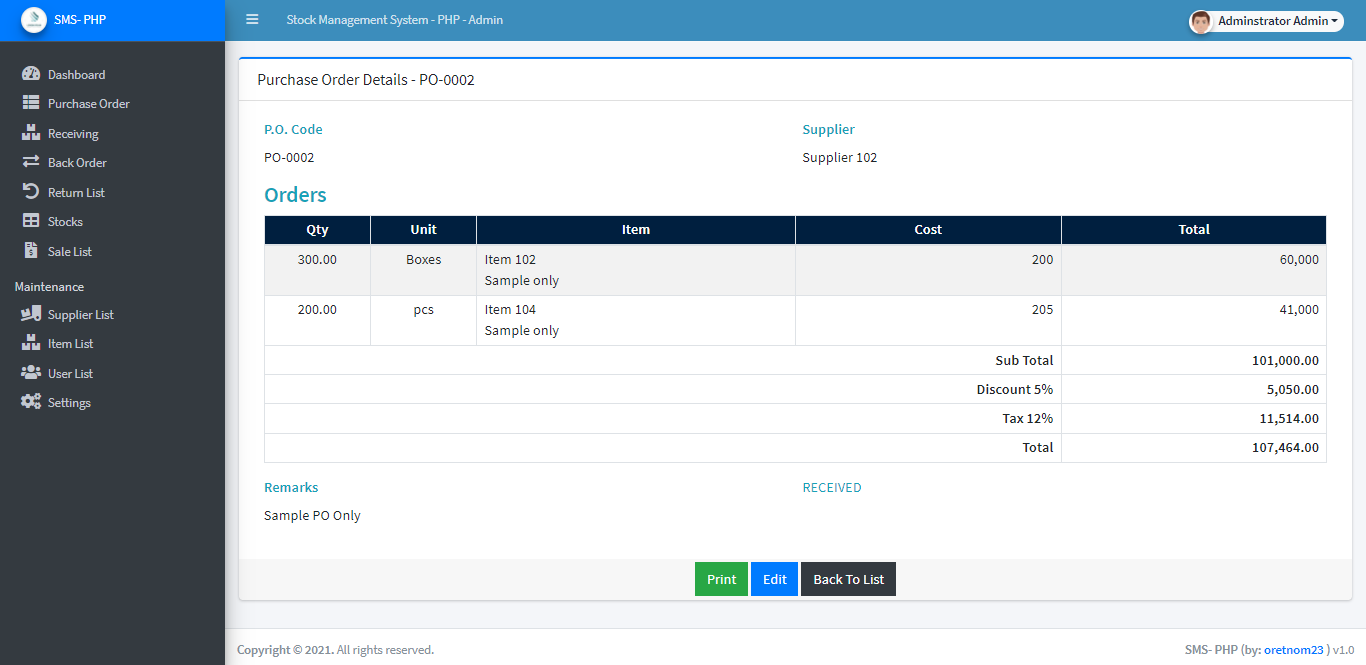

Purchase Order (PO) Management

sms-po-details.png

Handle your purchase orders efficiently with complete control over the procurement lifecycle:

  • Create New purchase orders linked to specific suppliers.
  • Edit existing records to reflect changes in order quantity or pricing.
  • View and Print purchase orders for documentation.
  • Delete incorrect or voided orders as needed.

Every PO generated integrates seamlessly with the receiving and inventory modules.
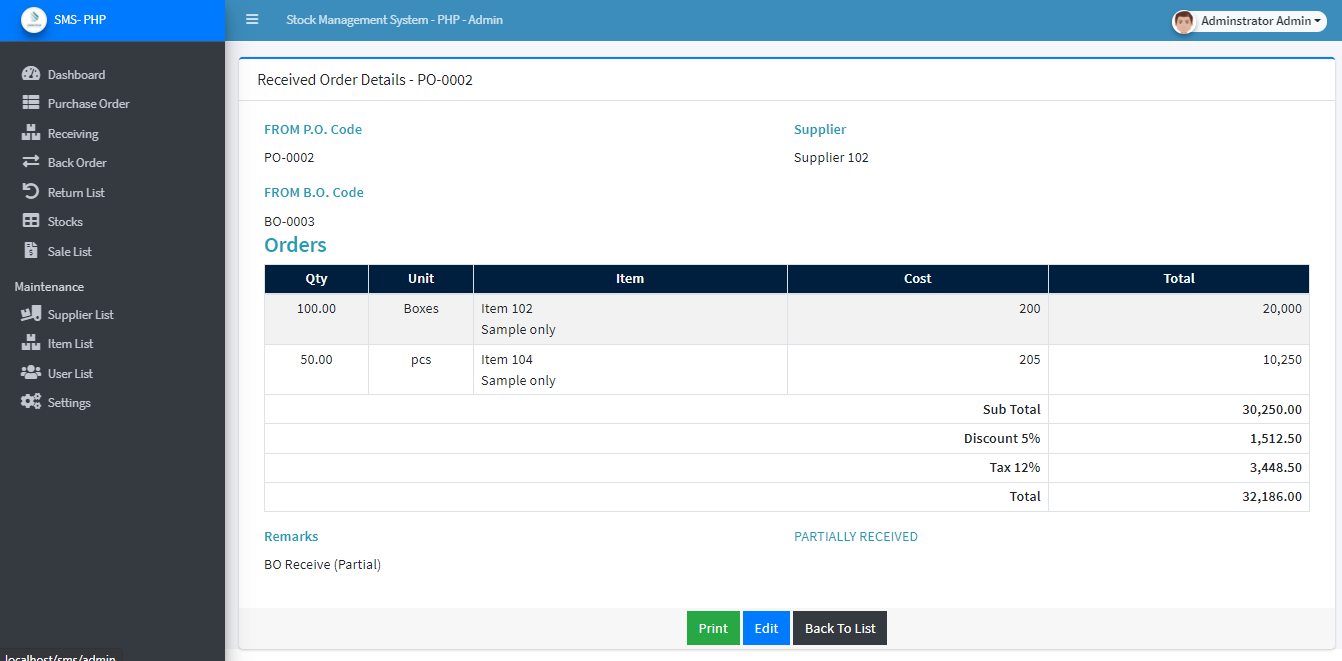

Receiving Records Management

sms-receive-view.png

Receiving items from suppliers is streamlined for accuracy:
  • Receive from PO: Automatically links incoming stock to a purchase order.
  • Back Orders Created Automatically: For partial deliveries, the system smartly creates back orders for undelivered items.
  • Edit & Print receiving records.
  • Delete if errors occur during entry.
  • Stock Automatically Updated: Inventory counts adjust instantly upon saving the record.

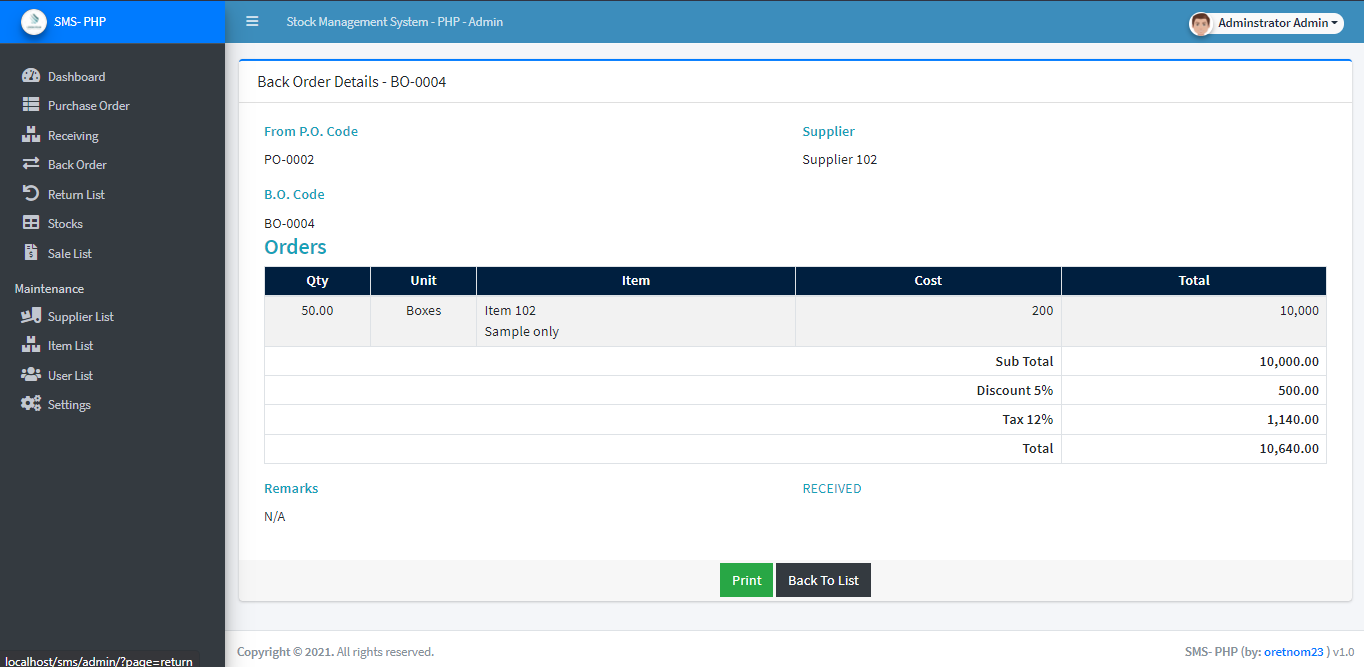
Back Order Records

sms-bo-details.png

Track pending deliveries that are yet to be fulfilled:

  • View and monitor existing back orders.
  • Receive BO: Convert back orders to received stock once fulfilled.
  • Print back order details for reference and follow-up.

This feature ensures nothing slips through the cracks when dealing with partial shipments.
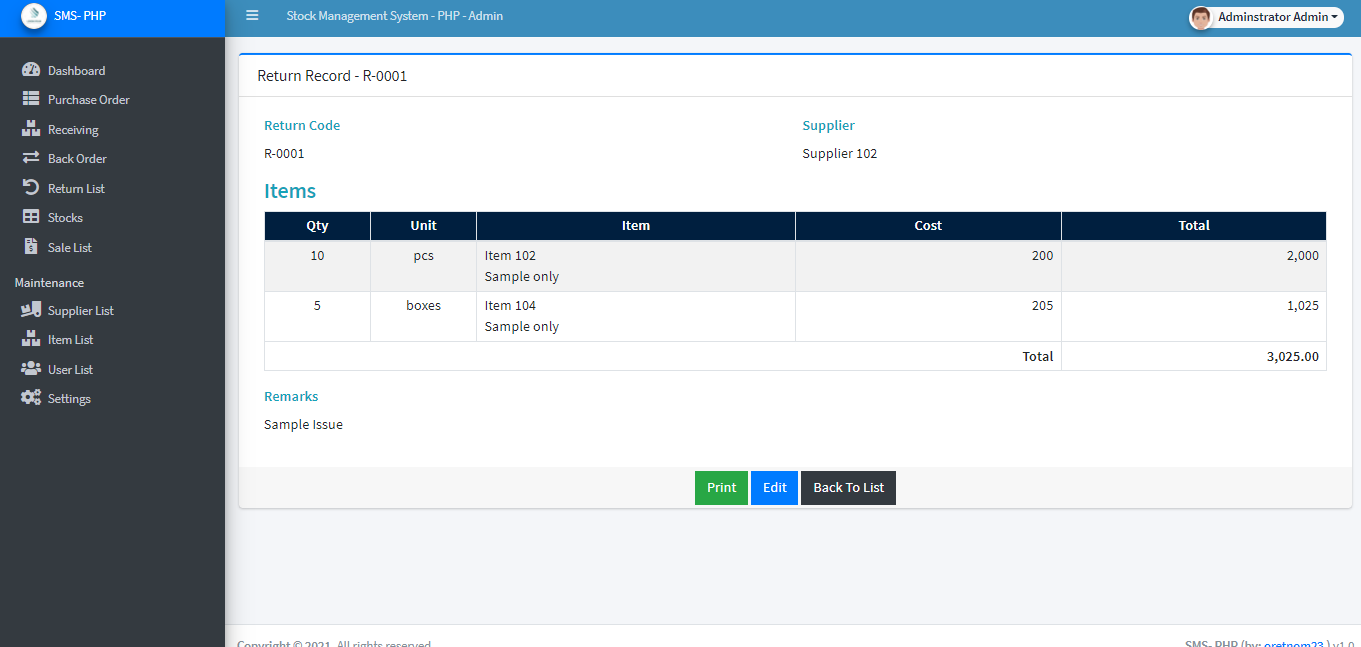

Return Records Management

sms-return-details.png

Returns are part of any inventory system, and managing them accurately is vital:
  • Create return records for damaged or unwanted goods.
  • View, Edit, and Print return documents.
  • Delete records if needed.
  • Stock Automatically Adjusted: The system instantly reflects returned stock, maintaining real-time accuracy.

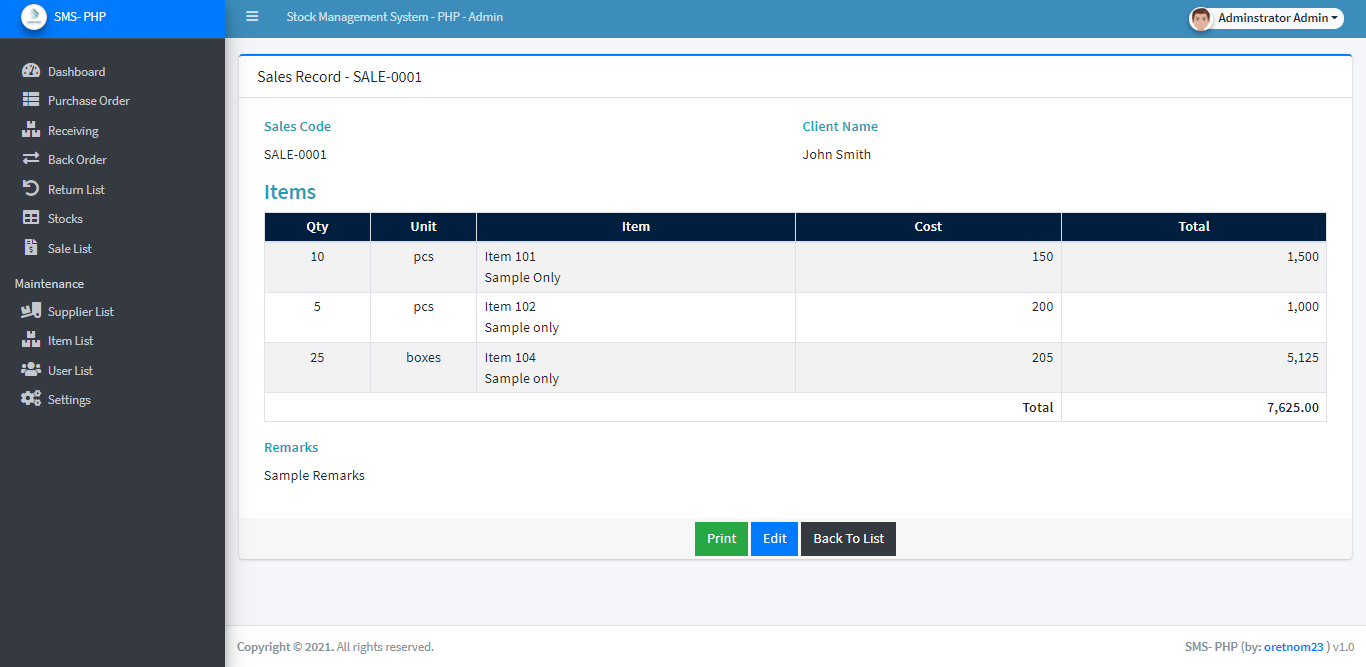
Sales Records Management

sms-sales-details.png

Track outgoing inventory and manage sales efficiently:

  • Create New sales transactions.
  • View, Edit, and Print records for accountability.
  • Delete invalid transactions.
  • Stock Automatically Updated upon each sale, ensuring consistent inventory levels.

This feature supports better sales analytics and real-time stock updates.


User Management (CRUD)

Control who accesses your system:

  • Create new users.
  • Read current user details.
  • Update user permissions or credentials.
  • Delete users when necessary.

Role-based access can be implemented for added security and functionality.


Allow users to securely manage their own login credentials and profile information, enhancing system personalization and security.


System Information

Configure the system to match your organization’s needs by managing:

  • Business details
  • System branding (logos, company name, etc.)
  • Preferences and default settings

Free Download PHP Source Code

Ready to explore or customize the system yourself? We’re offering the complete source code of the Stock Management System in PHP for free download.

Ready to Download?

Stock Management System in PHP Project Source Code


Start Download 

Included:

  • Complete PHP & MySQL source code
  • Database file (.sql)
  • Documentation for setup

💡 Note: This system is ideal for educational purposes only.


Project Overview

  • Project Name: Stock Management System Project
  • Developer: oretnom23
  • Application Type: Web Application
  • Language Used: PHP
  • Recommended PHP Versions: 7.4 & above
  • Database: MySQL

How to Run the Project

  • Download the project and unzip it.
  • Go to your XAMPP folder, find the htdocs directory, and paste the extracted project folder in there.
  • Open your browser (Chrome/Firefox works best) and go to:  http://localhost/phpmyadmin
  • Create a new database (use the name given in Readme.txt).
  • Click "Import" and upload the .sql file from the DATABASE FILE folder.
  • Head to: http://localhost/[YOUR_PROJECT_FOLDER_NAME]/
  • Use the login details from the project folder to access the system.
  • That’s it! Now you’re ready to explore the Stock Management System.


Live Demo & Access

🔗 Live Demo: Click here    
🔐 Admin Login: admin / admin123

Note: Demo may have limited access for security.