
How to Build a Browser OCR Tool with Tesseract.js
Learn how to build a browser-based OCR app using Tesseract.js. Extract text from images directly in the browser with a simple client-side setup.


Suggested:
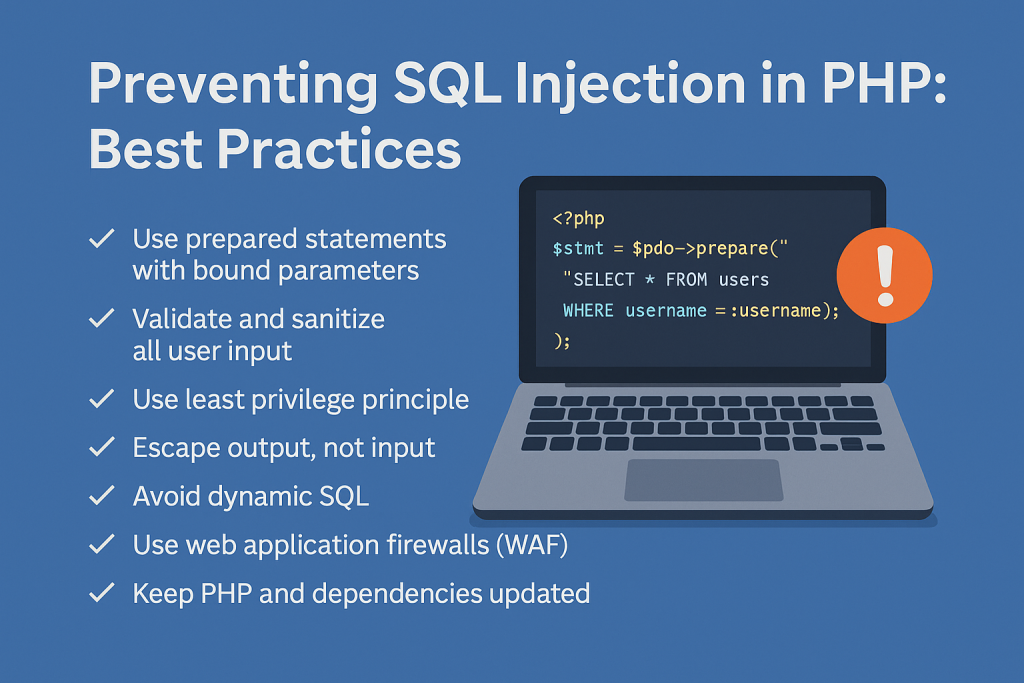
Learn how to prevent SQL injection in PHP with expert best practices including prepared statements, input validation, and secure coding techniques. Protect your database and boost site security today.
SQL injection remains one of the most common and dangerous vulnerabilities in web applications. In PHP, poorly written database code can open the door to attackers, potentially exposing sensitive data, altering records, or even taking full control of your database.
If you're building or maintaining a PHP application, it’s essential to understand how SQL injection works and how to effectively prevent it. In this blog post, we'll break down the risk and share proven best practices to protect your application.
Table of contents [Show]
SQL Injection is a code injection technique where malicious SQL statements are inserted into an entry field for execution. If your PHP code directly includes user input in SQL queries, an attacker might manipulate that input to execute arbitrary SQL commands.
Example of vulnerable code:
$username = $_GET['username'];
$password = $_GET['password'];
$query = "SELECT * FROM users WHERE username = '$username' AND password = '$password'";
$result = mysqli_query($conn, $query);
If an attacker enters something like admin' -- as the username, the query becomes:
SELECT * FROM users WHERE username = 'admin' --' AND password = ''
This bypasses authentication entirely.
1. Use Prepared Statements (with Bound Parameters)
Prepared statements separate SQL logic from data. PHP supports this through both MySQLi and PDO.
Using MySQLi:
$stmt = $conn->prepare("SELECT * FROM users WHERE username = ? AND password = ?");
$stmt->bind_param("ss", $username, $password);
$stmt->execute();
Using PDO:
$stmt = $pdo->prepare("SELECT * FROM users WHERE username = :username AND password = :password");
$stmt->execute([
    ':username' => $username,
    ':password' => $password
]);
Why this works: Prepared statements ensure that user input is treated as data, not part of the SQL command.
2. Never Trust User Input
All user inputs—whether from forms, query strings, cookies, or headers—should be treated as untrusted. Sanitize and validate inputs before using them, even if you’re also using prepared statements.
$username = filter_input(INPUT_GET, 'username', FILTER_SANITIZE_STRING);
While this doesn't prevent SQL injection by itself, it helps enforce good hygiene.
3. Use Least Privilege Principle
Your database user should have only the permissions it needs—no more. For example, if your application only reads data, don’t use a user with write or admin privileges.
Why this matters: If an attacker does manage to exploit a vulnerability, limiting their access minimizes the damage.
4. Escape Output, Not Input
A common misconception is to escape user input to prevent SQL injection. Escaping is useful for preventing Cross-Site Scripting (XSS), not SQL injection.
5. Avoid Dynamic SQL When Possible
Avoid building queries dynamically with input values concatenated into SQL strings.
Bad:
$query = "SELECT * FROM products WHERE category = '$category'";
Better:
$stmt = $conn->prepare("SELECT * FROM products WHERE category = ?");
$stmt->bind_param("s", $category);
$stmt->execute();
6. Use Web Application Firewalls (WAF)
A WAF can help block basic SQL injection attempts before they reach your code. It’s not a substitute for secure coding, but it adds another layer of protection.
7. Keep PHP and Dependencies Updated
Security patches are released regularly. Ensure that your PHP version, libraries (like PDO or MySQLi), and server stack are up-to-date.
Even with all precautions, monitor your application for suspicious activity. Logging failed SQL queries or strange input patterns can help detect and stop attacks early.
Preventing SQL injection in PHP comes down to a combination of secure coding practices, principle of least privilege, and constant vigilance. Here’s a quick checklist:
Got questions or tips on PHP security? Leave a comment below or reach out—we'd love to hear from you.
🔹 What is SQL Injection?
SQL Injection is a type of security vulnerability that allows attackers to interfere with the queries an application makes to its database. It often happens when user input is improperly handled in SQL statements.
🔹 How does SQL Injection affect PHP applications?
In PHP, if user input is directly included in SQL queries without proper sanitization or prepared statements, it can allow attackers to manipulate the database, steal data, or even gain administrative access.
🔹 What is the best way to prevent SQL Injection in PHP?
The most effective way is to use prepared statements with bound parameters, available through both PDO and MySQLi. This ensures that user input is treated strictly as data and not executable SQL code.
🔹 Are functions like mysqli_real_escape_string() enough to prevent SQL injection?
While mysqli_real_escape_string() helps escape special characters, it is not foolproof. It should not be relied on alone. Prepared statements are far more secure and the recommended method.
🔹 Should I still validate and sanitize input even with prepared statements?
Yes. Always validate and sanitize inputs to ensure they meet expected formats (e.g., emails, numbers). This prevents other types of attacks and ensures data consistency.
🔹 Can stored procedures be used to prevent SQL injection?
Yes, stored procedures can help mitigate SQL injection if properly implemented. However, if user inputs are still concatenated into SQL strings within the procedure, vulnerabilities can remain.
🔹 How can I test if my PHP application is vulnerable to SQL injection?
You can use tools like sqlmap or perform manual testing with common SQL payloads (e.g., ' OR 1=1 --) in input fields. It’s best to conduct security testing in a staging environment.
Learn how to build a browser-based OCR app using Tesseract.js. Extract text from images directly in the browser with a simple client-side setup.
Step-by-step guide to creating a PHP backend that removes image backgrounds using Remove.bg API. Ideal for developers building automated image tools
Learn how to create a real-time PHP chat app using MySQL and JavaScript with user login, typing status, chat history deletion, and a modern, responsive UI.







